If you’ve created or customized a block that you’d like to reuse in other projects or pages, you can save it as a custom design block. This lets you quickly access and reuse your favorite layouts without rebuilding them from scratch.
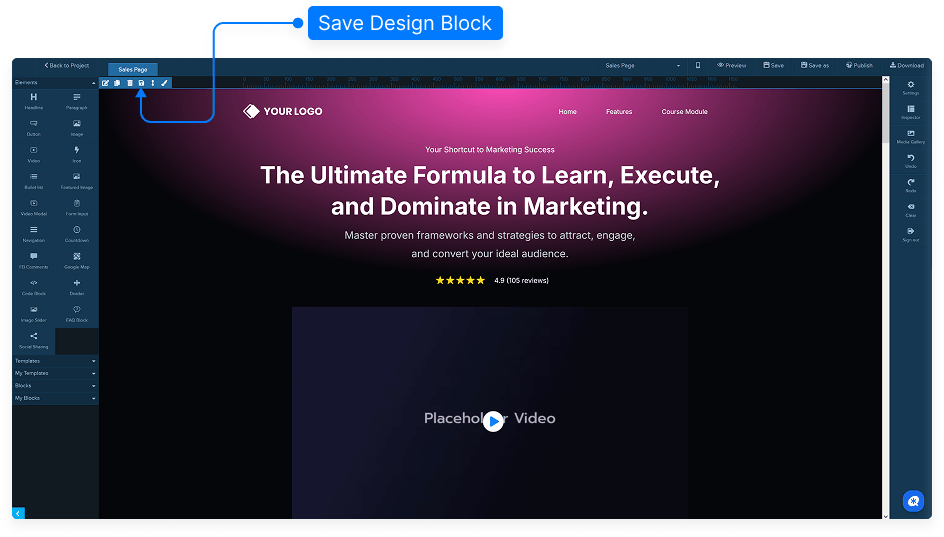
Scroll up to the dark blue menu at the top of the editor.
Instead of clicking Edit, select Save Design Block.
In the dialog box, you can:
Enter a name for your custom block.
Select an existing category.
Or create a new category.
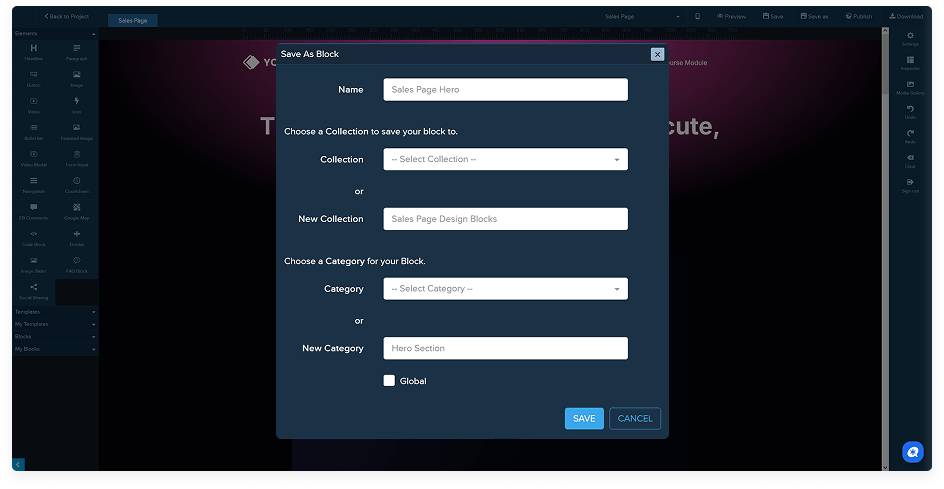
Click Save. You’ll see a confirmation message that the block was saved successfully.
To use your saved block in another project, open the editor and go to the left-hand panel under My Design Blocks.
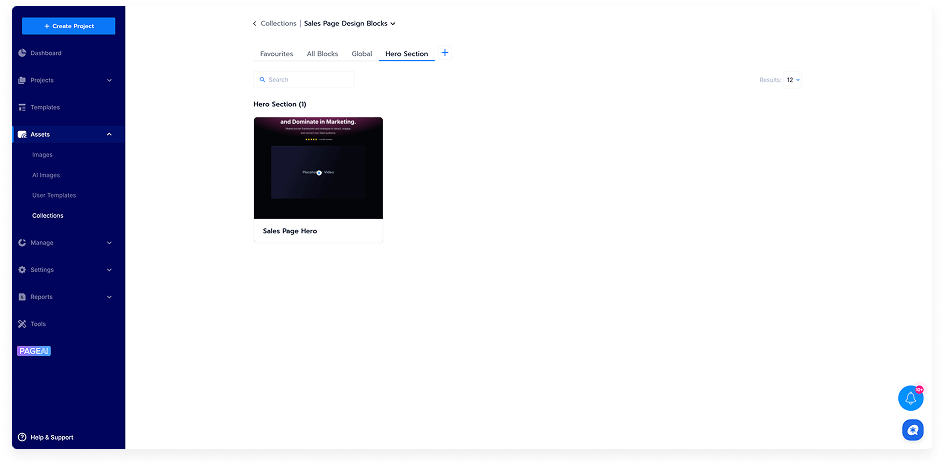
Find the block in the category you saved it to.
At first, the block may not show a preview image.
Wait a minute or two for the thumbnail to refresh.
Drag the saved block onto your page to reuse it.
Don’t forget to save your page after placing the block.
That’s it! Your custom design block is now reusable across any of your projects and pages.